You Have a Visibility Problem, Not a Staffing Problem
If your customer service team spends a significant chunk of their day answering the same questions — "Where's my order?" "Can you resend that invoice?" "What's the status on my shipment?" — you don't have a staffing problem. You have a visibility problem. The good news: it's entirely solvable, and you don't need a custom development project to fix it.
The Real Cost of Status Calls and Invoice Requests
Most manufacturers and distributors underestimate how much reactive customer communication actually costs them. Consider a mid-size industrial distributor with 200 active accounts. If even 30% of those accounts submit two routine inquiries per week — order status, invoice copies, shipment confirmations — that's 120 contacts per week your team has to handle manually. Over a year, that's more than 6,000 interruptions pulling your team away from higher-value work.
Each contact requires someone to log into the ERP, pull up the customer's account, find the relevant order, invoice, or shipment record, compose a reply, and follow up if the customer has additional questions. The underlying problem is almost always the same: your customers can't see their own data. Everything they want to know lives inside your ERP, behind a login your external users don't have — and shouldn't have.
Why Most "Solutions" Don't Actually Solve It
Teams typically try to address this problem in one of three ways, and each one creates its own set of headaches.
- Spreadsheet exports and email updates — data is stale the moment it leaves the system, customers still call when something falls through the cracks, and whoever runs the export becomes a bottleneck.
- Shared ERP credentials — a security and compliance nightmare with complex row-level isolation, real upgrade risk, and licensing constraints that rarely allow external access.
- Custom-built portals — work until the next ERP upgrade breaks the integration, the original developer moves on, or the business needs something the portal wasn't designed to handle.
None of these approaches removes the source of the problem. They either push work to someone else on your team, introduce security risk, or create technical debt that comes due at the worst possible time.
What a Real Customer Self-Service Portal Does
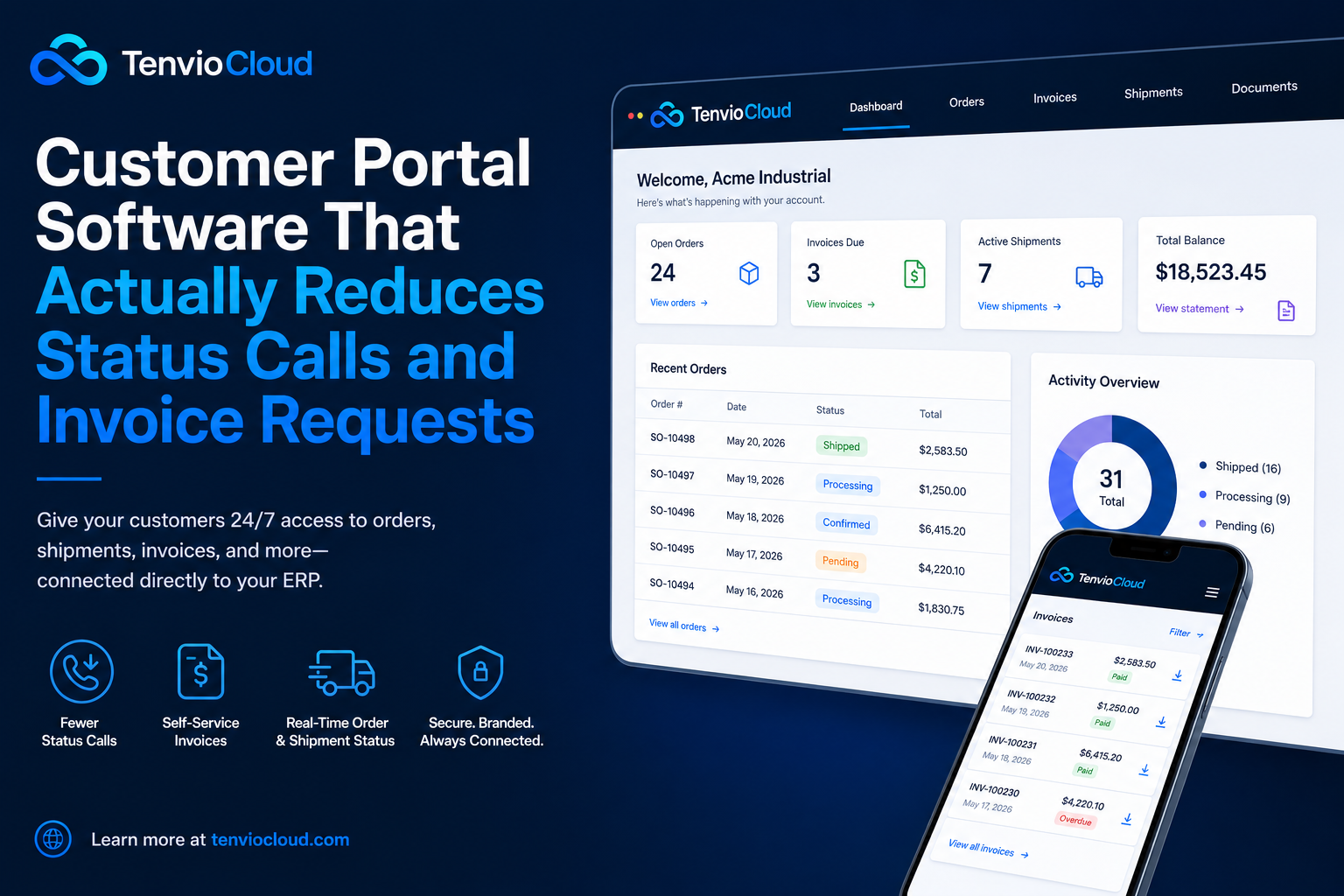
A purpose-built customer portal doesn't just display data. It changes the entire dynamic of how your customers interact with your team. When a customer can log into a branded portal and instantly see their orders, shipments, invoices, RMA status, and pending quotes, they stop calling — not because they don't care, but because they don't need to.
- All open and closed orders with current status
- Shipment tracking and estimated delivery
- Invoice history with on-demand downloads
- Return and RMA status
- Quotes pending their approval
This is the fundamental shift good portal software delivers: it moves your customers from a reactive, request-based relationship with your team to a self-sufficient one where they already have the information they need.
The ERP Connection Is Everything
Here's where a lot of portal implementations fall short: the data is stale, incomplete, or disconnected from the actual system of record. If a customer portal pulls from a nightly sync or CSV export, an order that shipped at 2 PM won't appear until the next morning. An invoice generated after the last sync isn't there yet. The customer still calls — because the portal isn't showing what's actually happening.
TenvioCloud connects directly to Epicor Kinetic and other major ERP platforms — not through batch files or scheduled exports, but through live data connections that keep portal records in sync with the source of truth. Your ERP stays in charge. The portal is just the window your customers look through.
What Reduces Invoice Requests Specifically
Invoice requests are one of the highest-volume, most avoidable categories of customer inquiry. A customer needs a copy for accounts payable. Someone can't find the email from three months ago. A billing contact changed and the new person needs historical records. Every one of these is a solved problem with an invoice self-service portal.
When customers can log in and access their complete billing history — sorted, filterable, and downloadable — they never need to ask for a copy again. The same goes for credit memos, statements, and any other financial documents your ERP generates. Teams that deploy invoice self-service consistently report that this one use case alone eliminates a significant portion of inbound customer service volume.
Secure by Design — Not as an Afterthought
One legitimate concern with any customer-facing portal is access control. You can't give a customer a login and have them accidentally see another account's orders or pricing. This is where row-level security matters.
A well-built customer portal enforces account-scoped access at the server level — not just in the UI. Each customer user is tied to their account record in the ERP, and every query returns only records associated with that account. TenvioCloud enforces this server-side, which means there's no client-side workaround. Your customers see exactly what they're supposed to see — nothing more, nothing less.
Going Live Without a Dev Project
The traditional objection to customer portal software is implementation complexity. Building a portal that talks to your ERP, enforces proper access control, and reflects accurate data sounds like a multi-month IT project. It doesn't have to be.
- 1.Choose a template built for your use case — customer order tracking, invoice self-service, returns, or a combination.
- 2.Connect your ERP through TenvioCloud's native Epicor connector or via REST API, SQL, or CSV for other platforms.
- 3.Map your data — define how ERP objects (orders, invoices, shipments) surface in the portal.
- 4.Configure access — set up customer accounts with automatic row-level scoping.
- 5.Launch on your domain — branded with your logo, colors, and custom URL.
TenvioCloud is designed so the gap between "we need a portal" and "the portal is live" is measured in days, not months. Most teams are live within a few days of completing their ERP connection.
The Downstream Effects Are Worth Noting
- Your customer service team shifts from reactive to proactive — handling escalations, exceptions, and relationship-building instead of repeating the same answers.
- Your customers become more self-sufficient and more satisfied — self-service is genuinely faster and more convenient than waiting on hold or for a reply.
- Your ERP data stays clean — returns, quote approvals, and confirmations enter through structured portal workflows instead of free-form emails someone has to interpret and manually enter.
Is This the Right Fit for Your Operation?
Customer portal software delivers the highest return for manufacturers and distributors who have meaningful volume of recurring customer inquiries, run an ERP that houses the relevant data, want to reduce manual workload without adding headcount, and have already learned that exports or shared credentials don't scale.
If that describes your situation, the question isn't whether a portal would help. It's how quickly you can get one in front of your customers.